SAML and SCIM Setup
Last updated: October 1, 2026
Managing members with SSO and SCIM
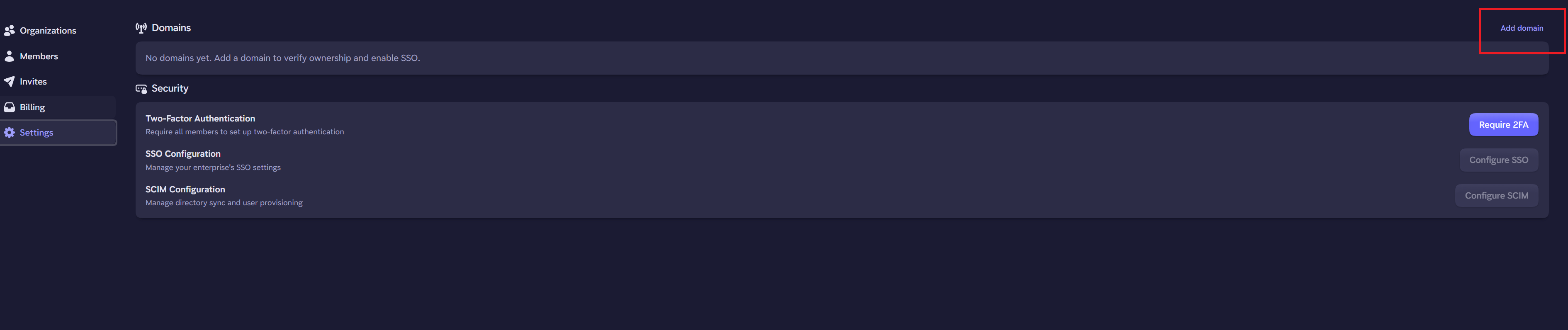
SSO and SCIM are both available. You can find links to complete the setup in the top level settings page here https://admin.phaze.app/settings.
Before setting up SSO and SCIM, you must first claim your domains. Click add domain, and follow the steps. You will need access to your domain provider to add TXT records to your DNS settings.
SSO and SCIM are optional, however you must have SSO configured if you want to use SCIM.
Invitations for users on SSO
Without SCIM
You will need to invite the users via the Administrator Dashboard by visiting https://admin.phaze.app/invites.
When an invite is sent, they will receive an email invitation, which will allow them to sign up to your Phaze Enterprise. If SSO is already configured, they will only need to provide their Name, along with completing their SSO auth.
With SCIM
If SCIM provisioning is enabled, we add every user in the SCIM groups you assign to Phaze. This means no invites are necessary, and the user can proceed directly to installing and signing into the Phaze app on their client device.
You can map your SCIM groups to Phaze orgs and Phaze groups.
If you want to change the role inside the Phaze mapping, you have to first assign the SCIM group to a Phaze Org or Group and then click on the three dots to change the role type.