USB Passthrough
Last updated: September 23, 2026
Phaze provides full USB passthrough. With that said, it's limited to input devices (3D mice, Davinci Resolve Panels, Wacom Tablets, and Gamepads) and Yubikeys.
Only input devices work today. That means, webcams, mic passthrough, hard drives, and printers will not work with USB passthrough.
Enable USB passthrough in settings. Both computers need to have the setting enabled when you're connecting. By default, the host is set up to accept USB passthrough.
If your input device requires software installed to function, it needs to be installed on both computers. For example, your space mouse may need 3DConnexion software installed on the client and host computer. Just as important, your drivers on the host and client must be compatible with your USB hardware.
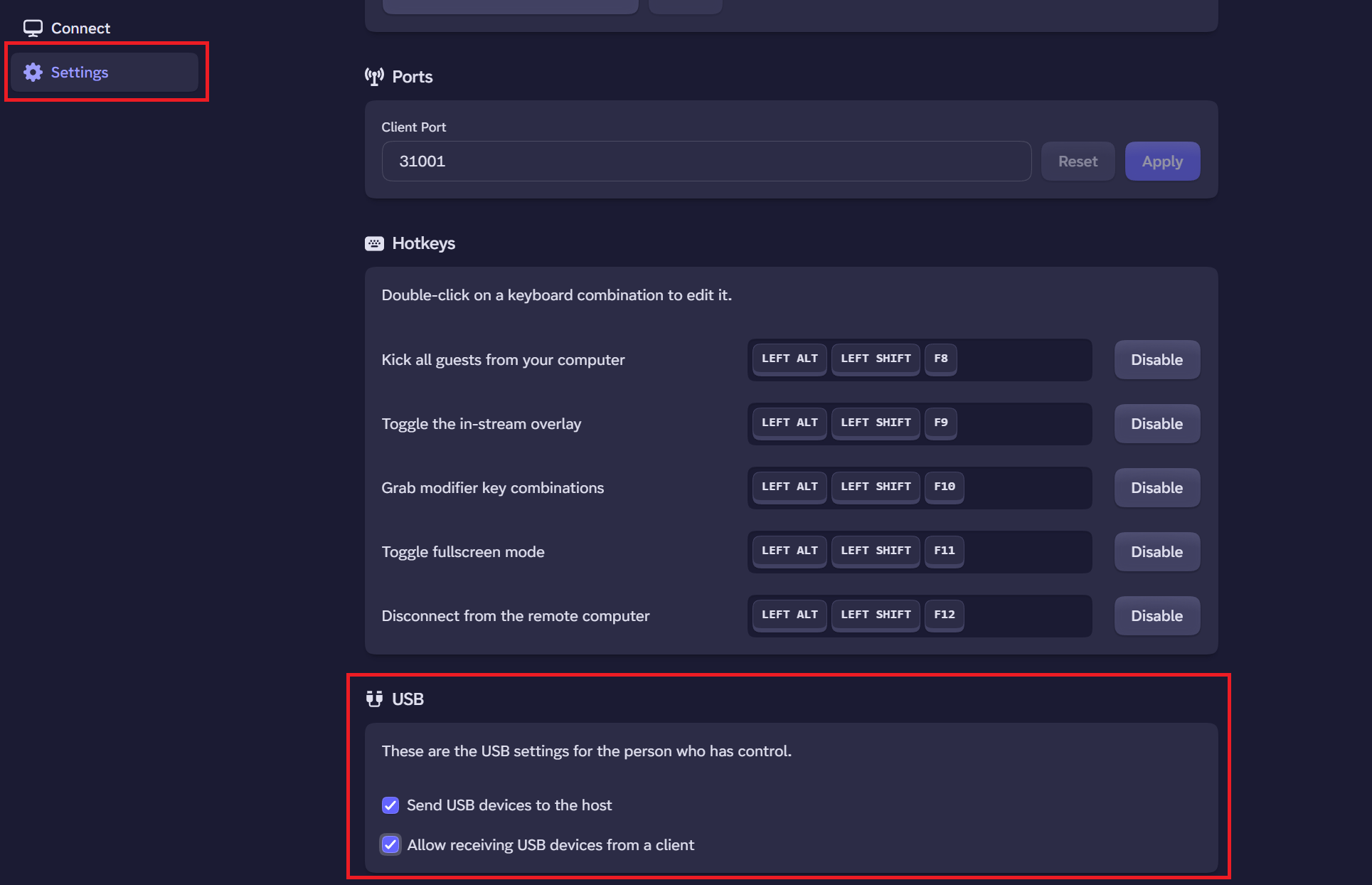
When you're connected, you turn on the USB devices plugged into your computer that you'd like to passthrough to the computer you're connected to. Turning on devices requires opening the Phaze button in the connection, clicking settings, and choosing the device that you'd like to passthrough. Phaze will save the items you've passed through to the computer for all future connections.
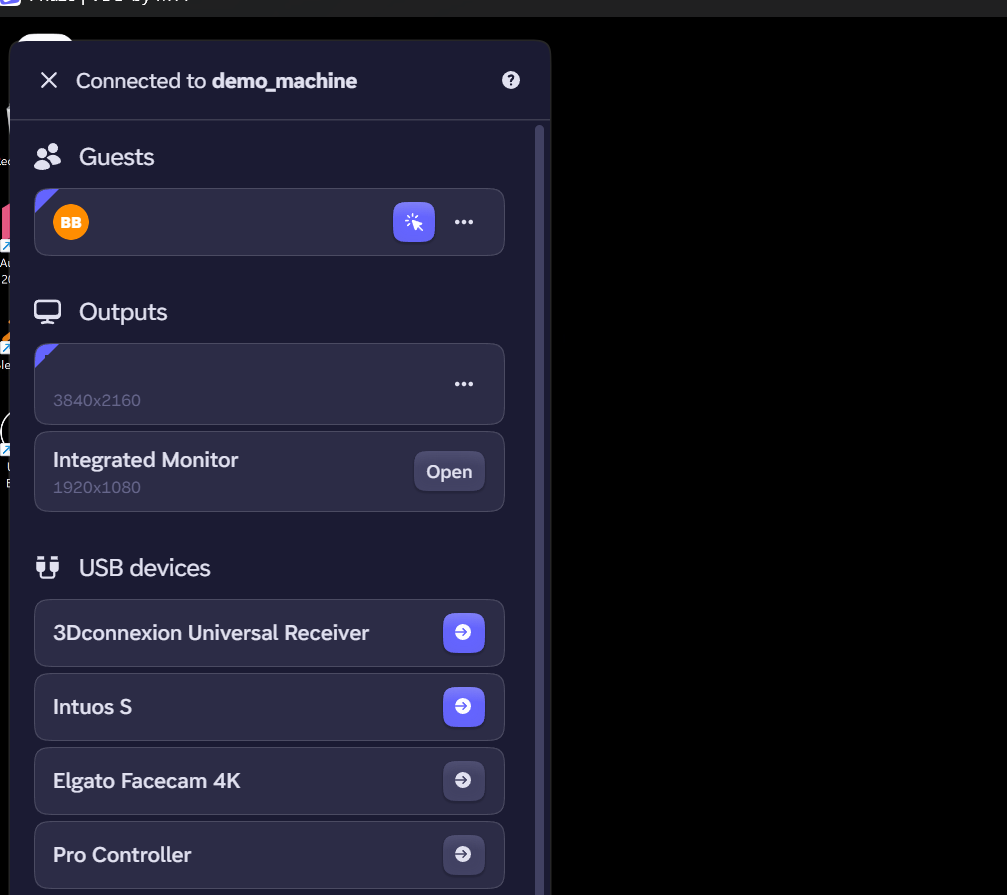
In this picture, a 3D mouse and Wacom tablet are being passed to the remote machine while the Facecam and Pro Controller currently are not.
Common Issues
Pen pressure not detected
This is typically a driver mismatch issue. Please make sure that the host and the client both have drivers for the device that you're using on the client. Without that, when the USB device is passed through, the host may have difficulty recognizing the exact device.